
For plugin developers worrying about compatibility through WordPress versions, it is sometimes important to know when a particular function was implemented (or dropped, even). Sometimes, the WordPress source is commented enough so that information is available. Sometimes, it's not and there is no easy way to obtain this information. I mean, till now of course :)
The WordPress Functions Implementation History
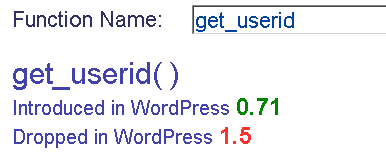
In a trendy axajified manner, the WordPress Functions Implementation History Tool will let you search across nearly 3900 functions through 56 WordPress releases, from 0.71 to 3.0.1
Static document
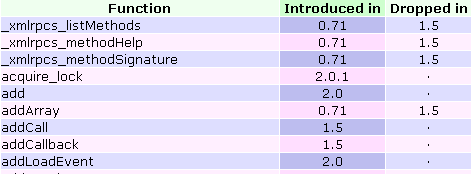
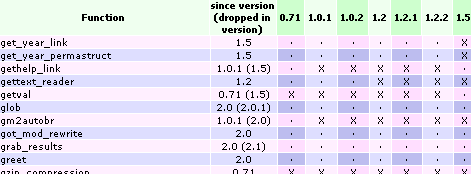
For the curious and those who would like a static list for their documenting needs, I'm also releasing a map of WordPress functions through all these WP versions. It comes in either a compact list (3 columns: function name, introduced in, dropped in), or the complete map (beware, 3900 lines x 56 columns = more than 17 MB table, your browser wont like it)
Light version (680 KB) :
Mad version (17 MB) :
More or less noteworthy notes :
- The regexp pattern used was the following, matching functions declared "standalone" or within classes:
grep -r -e '^\s*function ' * > functions.list - Functions from wp-content/ were excluded (i.e. the bundled themes and plugins)
- Javascript functions were excluded, some of them manually. There might be some survivors though :)
[…] Moved here: WordPress Functions Implementation History Tool […]
[…] Getting to know if a function is deprecated, when it was introduced or when it was dropped is important for coders who want to maintain plugins and theme through several WordPress versions. For them, I've updated my WordPress Functions Implementation History Tool […]
Thanks this are much needed, can you make WP CONSTANT ref too
ChaosKaizer » what you want is PHPXREF.
Nicely done. I like the auto-suggest feature on the forum.
A few additional links would be handy was well, like a link to the file that the function was defined in and a Codex link if there is one.
[…] Functions Implementation History: Along with other looks back at history, Ozh offers the WordPress Functions Implementation History Tool for a look at the changes and options for WordPress functions for coders. It’s important to know […]
[…] en Planetaozh | […]
Nice tool, but is there a downloadable version? I'm don't usually have internet access whilst developing plugins and themes…
caesarsgrunt » The spreadsheets here.
Hello ozh!
This is a very handy tool – I'll need it when I reach WP plugin development the next time ;-)
By the way, your translation was very helpful and I've just noticed once more that French is such a beautiful language. It's a shame I cannot speak it really freely.
Another by the way, this comment has been created with the new easyComment version! :-)
Best Regards and keep doing these fine things,
Benjamin
[…] WordPress Functions Implementation History Tool […]
[…] techniques for Plugin and Theme developers, as well as PHP, MySQL, JavaScript, AJAX, and jQuery. WordPress Functions Implementation History Tool ThemeLab – WordPress Template Tag Lookup Tool Validimir Prelovac – WordPress Fundamentals for […]
Thanks for sharing, it is useful and informative
Thanks for the article. i would like to know how can i enable my phpbb users to login each time to wordpress using their phpbb login details? That is because i have a lot of users on the forum and i want them to be authors on the blog also. Help appreciated.
Hey,
are you planning on updating this for WP 2.8, as it's going to be released in a few days (as they say)? :)
Thanks for making this, it's saved me a lot of times coding WP plugins.
2.9.2 to 3.0b2 update please?