
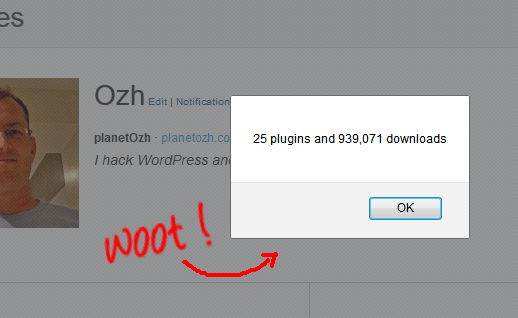
I was having a look at my Profile page on WordPress.org and wondered how many downloads all my plugins had. Start Menu, Accessories, Calculat.. HEY? What am I doing here?
Bookmarklet Fun
The following Javascript snippet will do the job for you:
(function () {
    var total = 0,
        count = 0;
    jQuery('p.downloads').each(function (i, e) {
        count++;
        total += parseInt(jQuery(e).text().replace(/,/g, ''));
    });
    total = total.toString().replace(/\B(?=(\d{3})+(?!\d))/g, ",");
    alert(count + " plugins and " + total + " downloads");
})();
Which makes that bookmarklet: Plugin Count. Drag to your bookmarks or right click and bookmark it, head to your wp.org profile page and trigger the bookmarklet!
More Bragginess: Tweet It!
Yeah, a humble alert box won't make the world and your Mom proud of you, right? Tweet Plugin Count!
FYI
Bookmarklets are fun. Two tools will help you:
- The Crunchinator will convert your nicely indented code into an ugly browser-bookmarkable one liner
- JS Beautifier will make the opposite
Have fun!
Very clever!