
One of the first things I wanted to improve in the admin area of my WordPress blog, back in the 1.5 days, was the header menu. I wanted to be able to reach any admin page in one click, instead of first clicking on the first level link ("Manage" for example) and then only on a submenu link ("Comments") So came a very neat plugin : the WordPress Admin Drop Down Menu
When WordPress 2.7 and its new and optimized user interface came, I thought there was still room for improvements: a horizontal menu gave the admin area more of a "desktop application" feel, and I think it's superior to a vertical menu. So I updated the WordPress Admin Drop Down Menu.
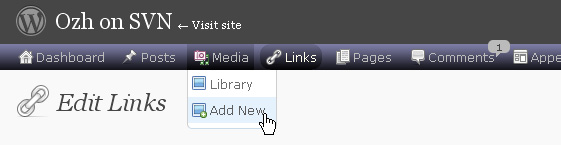
Download
Get the plugin :
ozh-admin-drop-down-menu.zip
Extract and upload to your blog, preserving directory structure.
Note: download counter here and stats on wordpress.org may differ and reflect the number of downloads before this plugin was hosted on the plugin directory
Activate and enjoy. Another friendly install & forget piece of PHP.
Features
- Customizable color scheme with a neat color picker
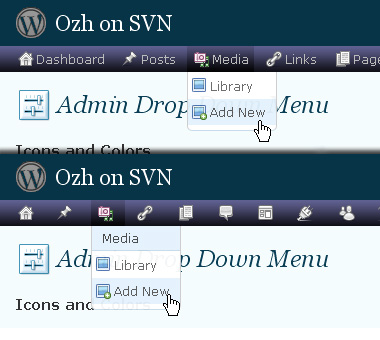
- Normal mode for regular users, compact mode for real estate maniacs, minimal mode for those who never have enough
- Optional cute icons from FamFamFam
- Enhanced compatibility with handheld devices
- Joy and happiness for every day
Javascript is involved for advanced features and to make stuff compatible with MSIE6, but on any decent browser everything works even with Javascript disabled.
Super neat color picking.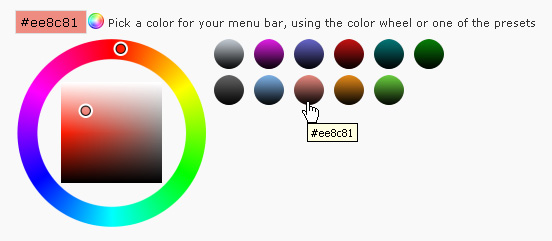
Any color you'll love.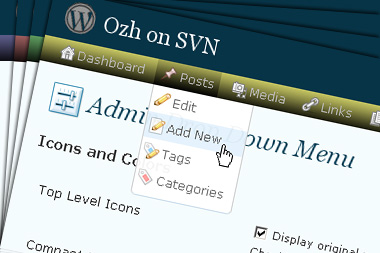
Normal or compact display.
Browser compatibility
The plugin has been developed on Firefox 3, Chrome and MSIE7. It should do fine with MSIE6 and Safari too.
There are glitches with Firefox 2 and Camino which both use a deprecated rendering engine. There are also glitches with Opera. I won't fix these, but if anyone wants to submit a CSS patch to resolve one of these issue, you're welcome :)
Developer friendly
The plugin comes with a wickedly cool API that will allow other plugin developers to interact with it, like adding your own custom icon for your plugin. Read the API for Coders page for examples and documentation. Also, all elements the plugin produces get custom CSS classes and id's to allow easy styling or selecting.
Translations
The plugin is ready for interglobanalization and there is a .pot template file included so polyglots can even make their own translation and sent the .mo and .po files to me that I'll include in the package.
The plugin comes with the following translations, in no particular order:
- Turkish, thanks to Baris Ünver
- Korean, thanks to Jong-In Kim
- Spanish, thanks to Karin Sequen
- Italian, thanks to Gianni Diurno
- Deutsch, thanks to Frasier Crane
- Russian, thanks to Fat Cow
- Brazilian Portuguese, thanks to Renato Tavares
- Greek, thanks to Friedlich
- Belorussian, thanks to ilyuha
- Hebrew, thanks to Amiad Bareli
- Romanian, thanks to Octav
- Ukrainian , thanks to wpp.pp.ua and Jurko Chervony
- Traditional Chinese, thanks to Paogray and Joan Wang
- Dutch, thanks to Cees van den Heuvel
- Slovak, thanks to Branco from WebHostingGeeks.com
And maybe more since I might totally forget to update this list :)
Older Versions
All my plugins are designed to run on the latest WordPress version available. Upgrade WordPress whenever a new version is out, or be sorry when your site gets compromised.
If for some unintelligent reason you need to get an older version of this plugin, it might be available, yet totally unsupported or recommended. Check here: Other versions.
Feedback, Bug report, Feature request
Sure. Feed me back. Like it? Blog about it. Love it? Click on the download link, see the Paypal button appear, and give it some clicks!
If you're reporting bugs, you're welcome, but please provide a screenshot and informations about your browser & your OS. I'm not supporting deprecated blogs or plugins or browsers, and I can't respond to incomplete bug reports.
If you're suggesting a feature, you're welcome too, but I won't add an admin menu on the public side of the blog, on top of pages. If you're looking after having this menu fixed on top of page, check this companion plugin that works as a plugin to this plugin: Admin Menus Fixed.
Hi!
I have a very strange behaviour in one of my blogs where I have installed this plugin.
When I clicked to "Submenus" checkbox in the options menu for the plugin, and then clicked in "Save settings".
The page loads and the submenus checkbox is empty and the feature is not activated… :-?
Any help would be appreciated.
Hi, I'm Mena
I liked your plug-in, but it have issue with the Arabic version of WordPress here is a screen shot of the problem
http://img80.imageshack.us/my.php?image=screenxm7.jpg
the menus are appearing in the left of the page although i didn't open them up…and it adds more width pixels to the page
Thank you,
Mena
NovaKanova » if you're on RTL this might be the problem, I didnt do anything particular to support this text direction. Otherwise, I don't know.
yes I'm on RTL… Is there a way to solve this ?
[…] ich damit sagen – das bisherige Menü bis WordPress 2.6 empfinde ich in Verbindung mit einem Plugin das aus der Untermenüleiste ein Dropdownmenü zum Klicksparen macht sehr, sehr angenehm, alle […]
[…] Ozh' Admin Drop Down Menu Coz we all know every millisecond counts. […]
[…] Admin Drop-Down Menu plugin doesn't really put up a new theme, but it allows you to save a lot of hassle in the […]
[…] Ozh' Admin Drop Down Menu??Wordpress???????????????????????????????????????? […]
[…] Ozh' Admin Drop Down Menu??Wordpress???????????????????????????????????????? […]
[…] Ozh' Admin Drop Down Menu??Wordpress???????????????????????????????????????? […]
[…] Ozh Admin Drop Down Menu […]
nes to the far right trigger submenus that you can’t get to because they close when you mouse off of the main category. It seems like it would be an easy fix to make those submenus 100% of the available width, but i don’t know where to make tha
[…] Ozh' Admin Drop Down Menu – drop down menus for wordpress admin saving time and bandwidth! […]
[…] Ozh' Admin Drop Down Menu […]
[…] OZH D.DOWN MENU […]
[…] Ozh' Admin Drop Down Menu […]
Awesome plugin! Thanks!
Hi Ozh
I have written you a e-mail or two, but no response :)
The id="" addition in the plugin has a little bug. Your method puts a / in the id name.
Thank you for a excellent plugin :)
thomasdk81 » Owww yes, sorry, totally forgot this…. Will fix this when I have some time!
[…] Ozh' Admin Drop Down Menu This makes the WordPress admin backend a lot more user-friendly, in that I can access various options with one click instead of two or three. […]
[…] Ozh' Admin Drop Down Menu ????????????????????????????? […]
Is it compatible for WP 2.6.2? Thanks
[…] 1.Ozh' Admin Drop Down Menu????????????????????????????????????????????????? […]
[…] 10. Admin Drop Down Menu […]
It was not compatible wiht 2.6.2 or Multi user.It have serious problem with widget pages.Graphic and button became crazy when i go to widget pages.Anyone can help me?
[…] 10. Admin Drop Down Menu […]
[…] Fluency Admin?Ozh' Admin Drop Down Menu […]
[…] Ozh' Admin Drop Down Menu – Changes your wordpress menus to CSS dropdown menus saving time and […]
Please keep maintaining this addon after the new update! I simply cannot get myself to use the side-menu ! !
[…] One thing I wanted to improve in the Admin area of my WordPress blog was the header menu. I want to be able to reach any admin page in one click, instead of first clicking on the first level link (”Manage” for example) and then only on a submenu link (”Comments“) So here is a very neat plugin : the Worpdress Admin Drop Down Menu. [Download Now] […]
[…] very useful plugins: WordPress auto update Spam Karma 2 Search reloaded Ozh' Admin Drop Down Menu Email Shroud Bad Behaviour (anti-spam) […]
[…] This plug-in transforms the regular WordPress menus into drop-down menus instead, saving the website/blog administrator time from clicking and waiting. See the before the after images below: […]
[…] Ozh' Admin Drop Down Menu; […]
[…] You can also visit PlanetOzh – author […]
[…] Admin Drop Down Menu by Ozh 2.0.3 (Admin sayfan?zdaki menüyü daha kullan??l? hale getirir.Aç?l?r menü ?eklinde kullan?rs?n?z) […]
Hi, and thanks for the plugin, it's really good to change the menu style, i found some problems in Opera and Firefox for Arabic WP users:
Opera : the drop list go to the right in opera (in Arabic we write left to right),
Firefox: the cursor show only in bottom or top padding of menu link, but i have the solution for this, i change the
to
and it work perfectly.
[…] Drop down lists […]
kamal » There is no RTL support for this plugin
Merci frère.
[…] ?????????????Admin Drop Down Menu???? ?????????????????????????????????????????? […]
[…] Needless to say this is not the most stable and bug-free plugin, at least not yet. But if you're already playing around with WP 2.7 then that warning probably won't deter you And if you want to try it out with WP 2.6.x, you can – the plugin will switch to the "compatibility mode" and use a normal dashboard menu for the favorite links (this is probably only useful together with a dropdown menu plugin like this one). […]
[…] ????????????????? […]
Hello
Its a verynice plugin. But is there possible to display the menu also in the frontend at the top for logged in user?
pls fast answer. its important for me.
thx
[…] that I had missed after switching from WordPress 2.3.3 to 2.5 and later to 2.6 and 2.6.x: the Admin Drop Down Menu plugin by Ozh. I remember looking for it after the switch to 2.5, but obviously I didn't look hard […]
I love this plugin, and I love the MPMU support. My only gripe is the "My Blogs" dropdown only lists a few blogs. Can it be make to list more blogs, like 20? or as many as the page height allows?
David » I'm working on the next iteration, for WP 2.7. I'll look at this when WPMU syncs with WP 2.7
[…] Ozh' Admin Drop Down Menu — ??????????? wordpress adminpanel ? ?????????????????????? […]
[…] Admin Drop Down Menu – this eliminates the need for executing a double click action on the Admin screens. You simply point your mouse over the main menu and you will instantly see the second level menu Download Drop Down Menu […]
[…] WordPress 2.7 replaces at least two plugins I had come to rely on, Ozh' Admin Drop Down Menu, and WordPress Automatic Upgrade. I'll be curious to see if the automatic upgrade plugin […]
[…] Admin Drop Down Menu […]